Open Outlook and Click on New Compose email
Type Message that you want to send during out off office

Click on Save
Change file type as outlook template
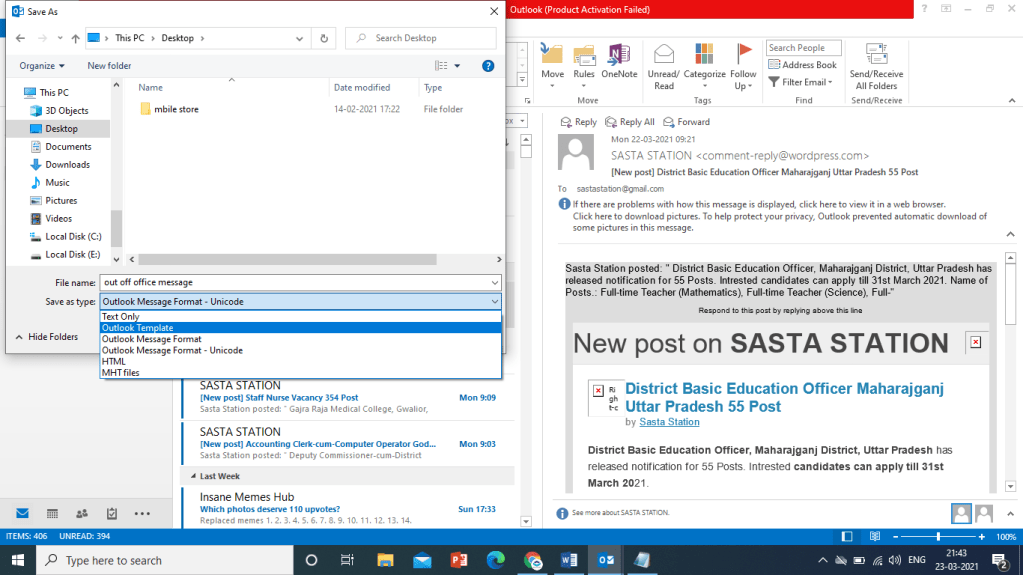
Save this message as outlook template
Close message after saving
Click file and click rule and alerts option
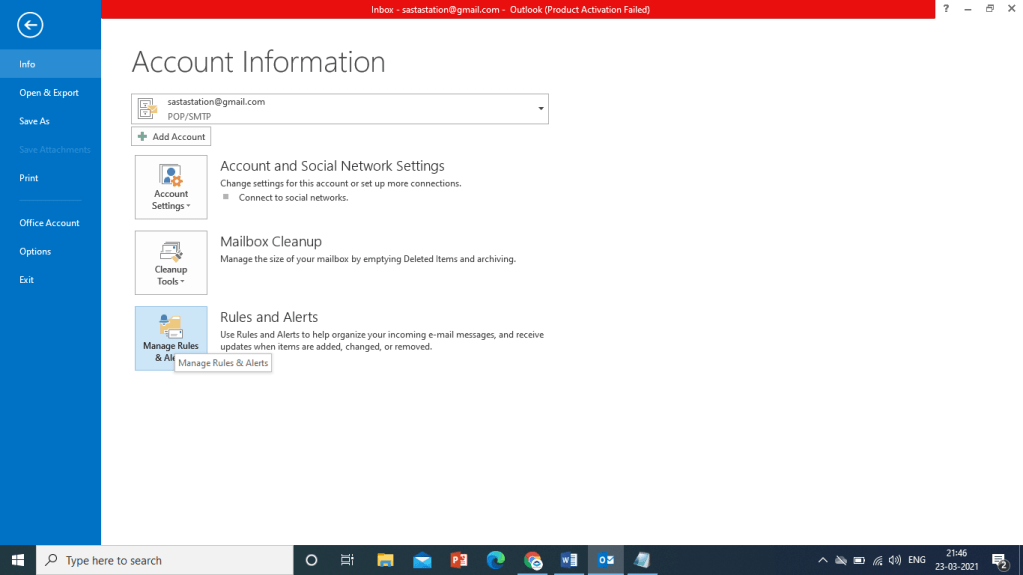
click new rule
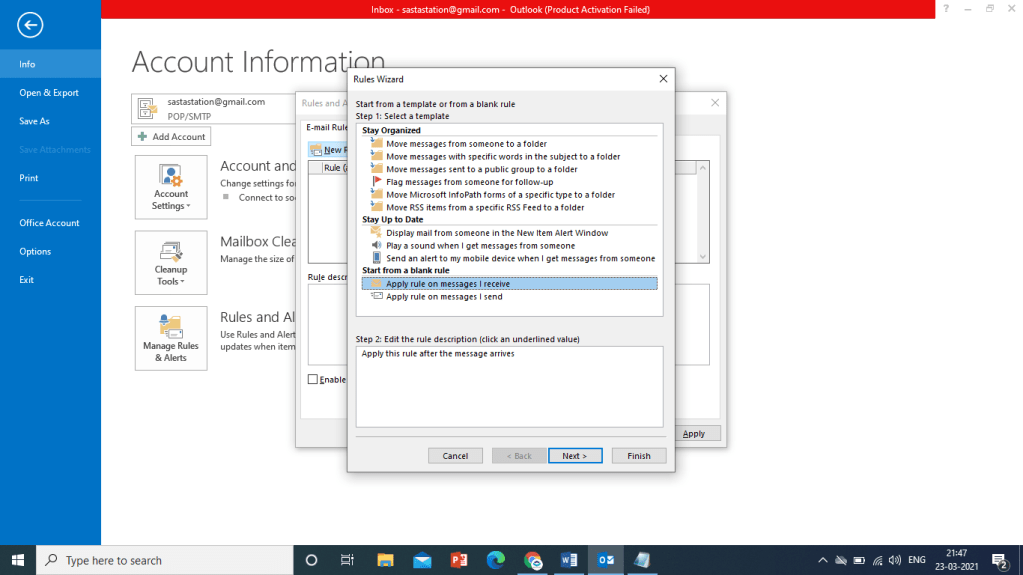
select option
“Apply rule on Message I receive“
Click on Next
Click
“Receive in a Specific Date Span”
Click on Next
Select Date of start and end
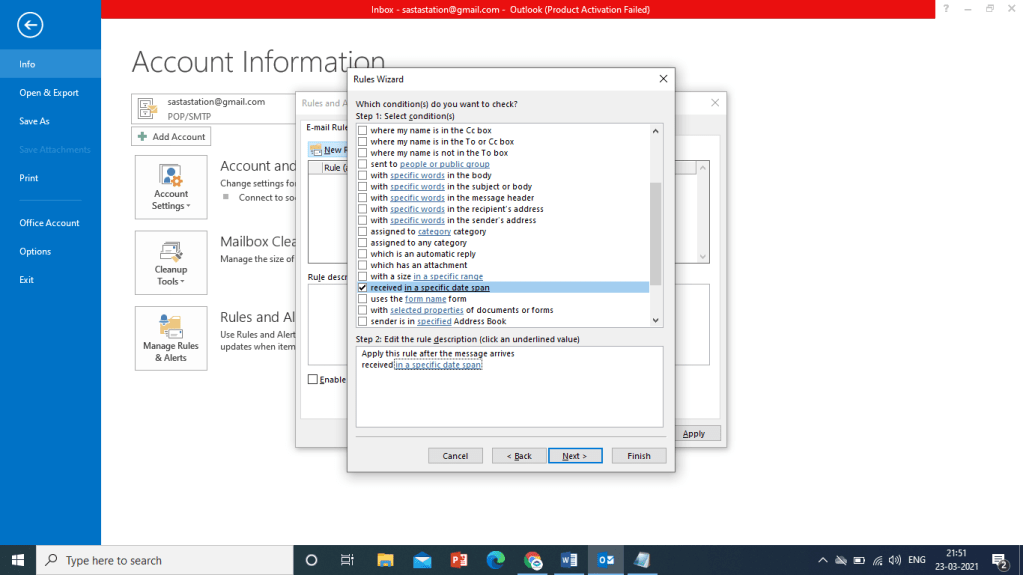
select date
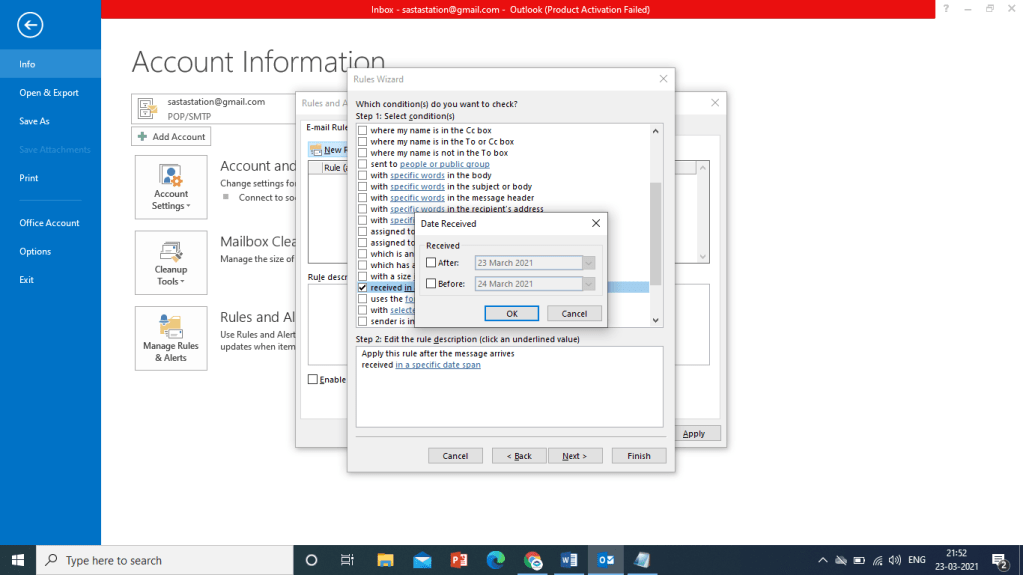
Click on Next Button
Select
“Reply Using Specific Template”
Select Template that you already saved earlier as outlook template
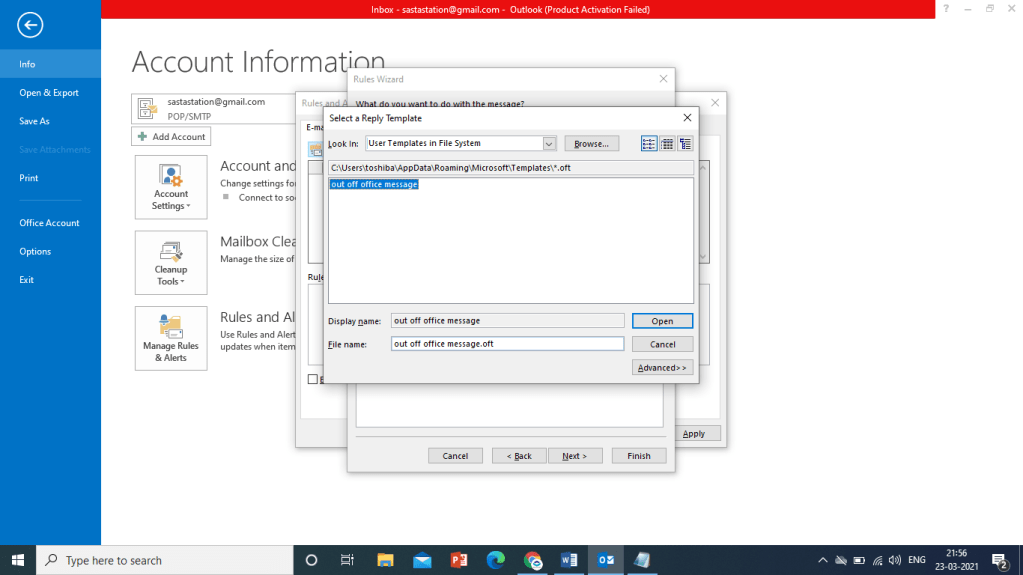
Click Next

Click Finish
Click Apply and OK button to Close this
Now Rule is Activated. If your time span is right now then you can send message from any id to this id and check that you get Auto Reply Message from this ID.
See All this Practical in this video
 COMPUTER STATION