Here You will Learn the step, how to make partition if you forget to make during windows installation.
You can devide you C drive in to partition for other storage without affecting windows drive.
Let’s Start How is it possible
Step 1
Right Click On COMPUTER in Windows 7 and if you have windows 10 – right click on THIS PC option
Click On Manage
Click Disk Management
Right Click On C drive as we know here we are making partition by taking space from drive C
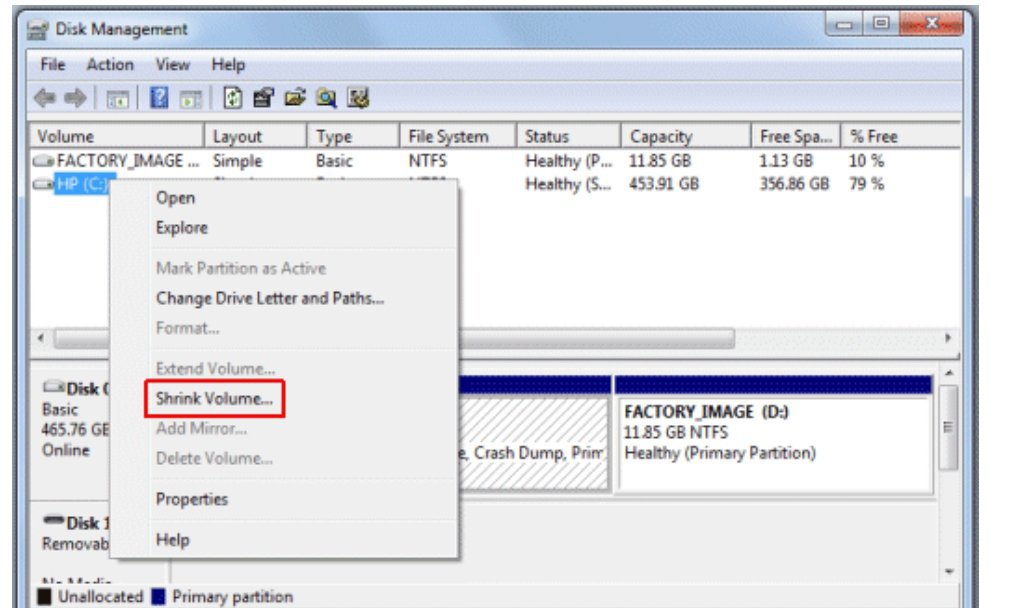
Click Shrink Volume Option
See The Available Shrink Space In second line of the below dialog box
Enter the Amount of Space in Mb (in third Line of dialog box) . This is a partition Size you are deciding

Click On Shrink
Below dialog box displayed
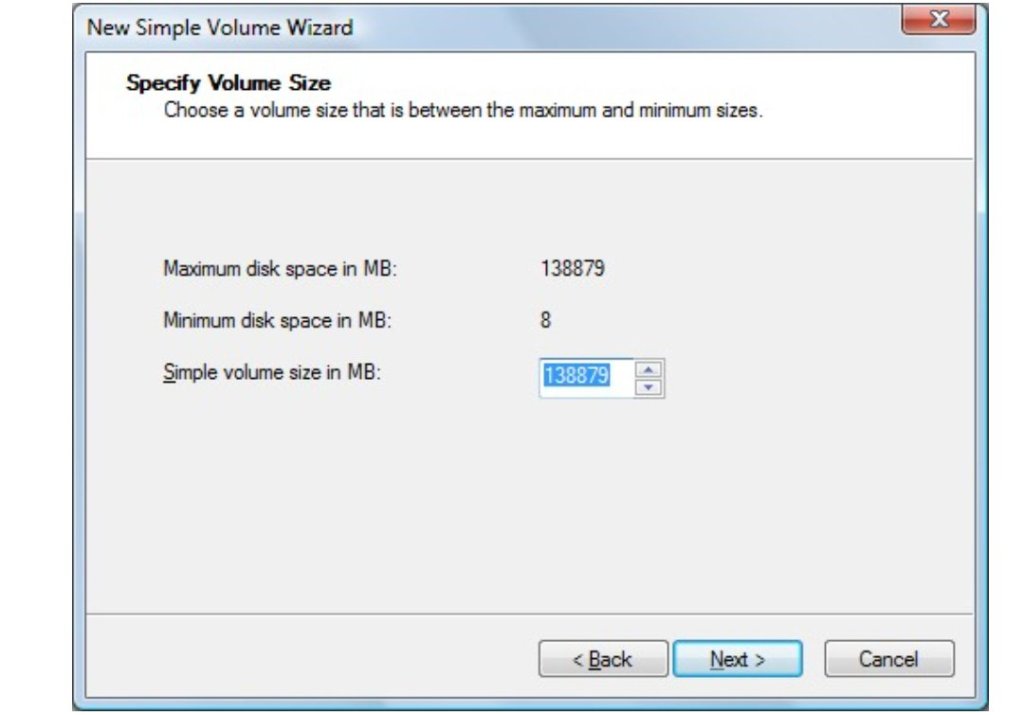
Click Next
Select Drive Letter in below dialog , this is a name of you new partition. You can not select drive letter which is already available. This option automatically selected by default if you are not selecting.
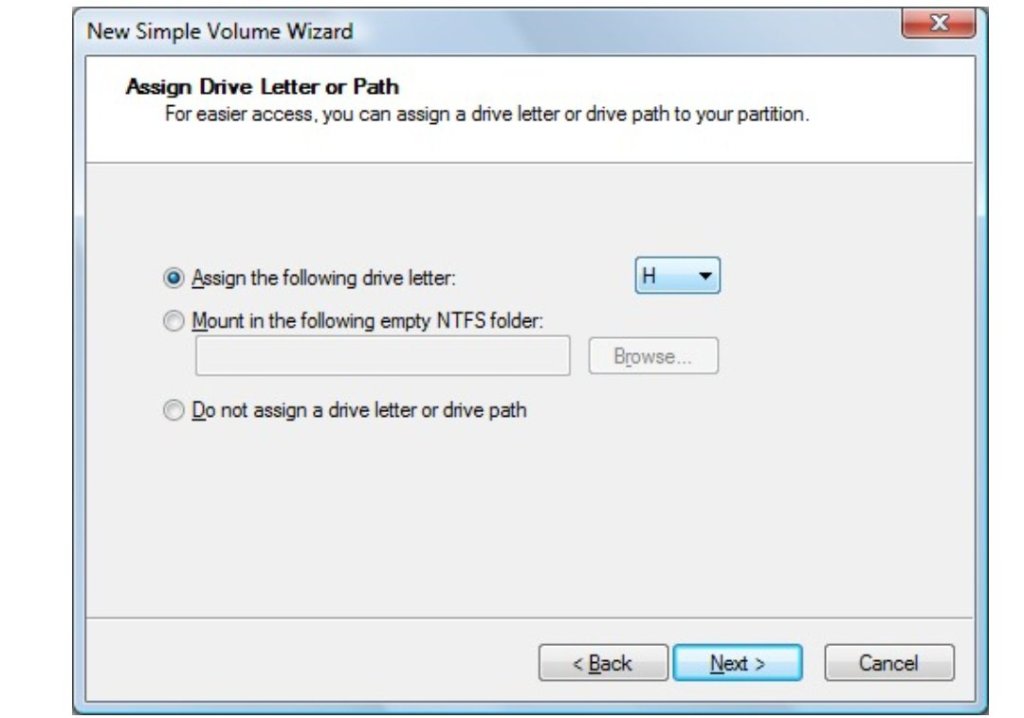
Click Next
Enter Volume Level if you want to keep any text name of this drive otherwise leave blank. See in below dialog box
Tick check box of “Perform a quick Format”

Click Next
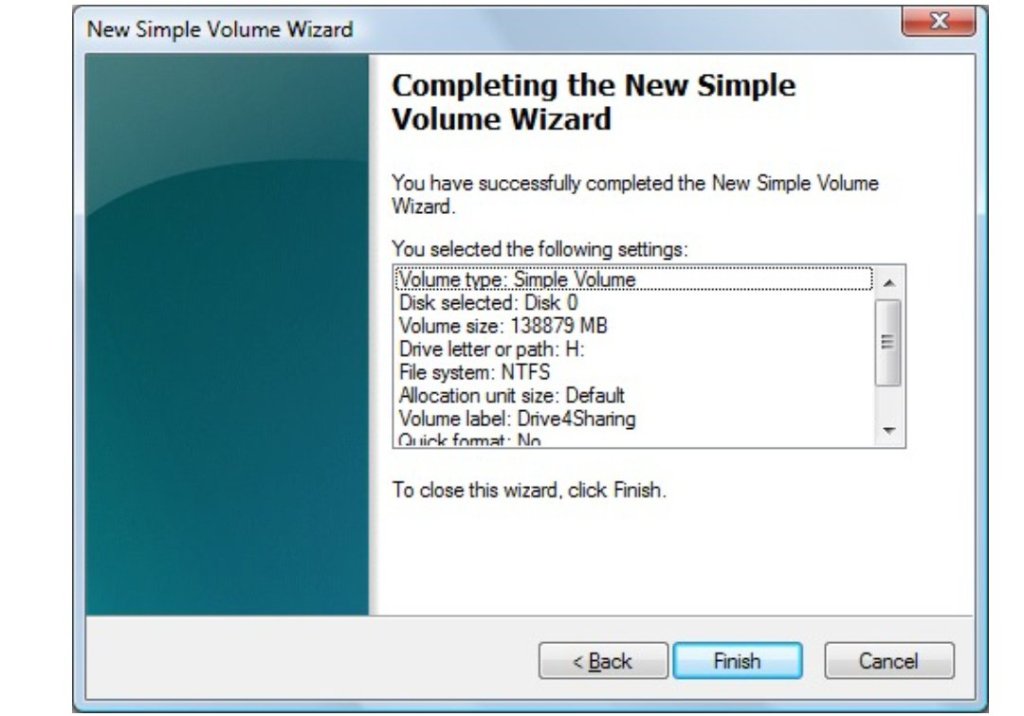
Click Finish
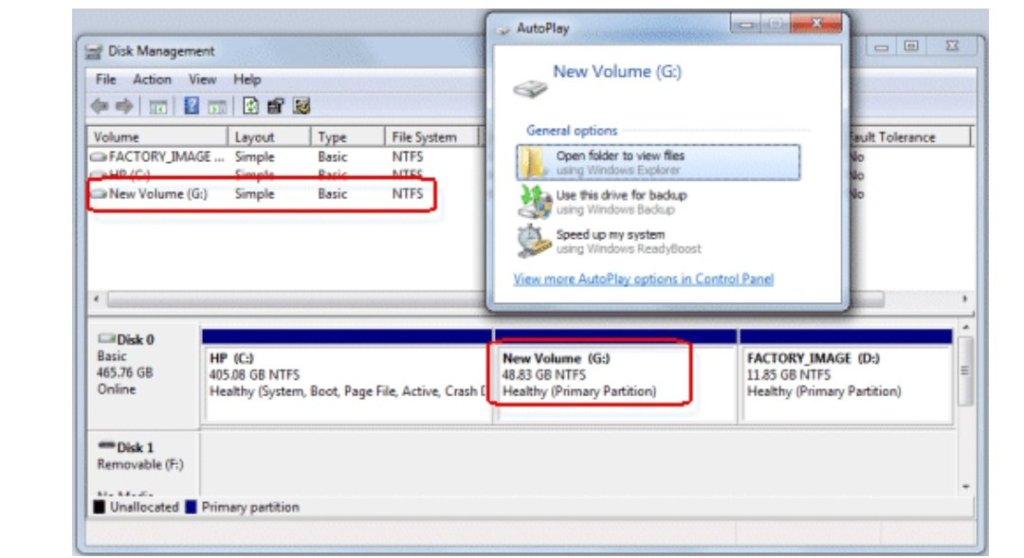
After Finish Your Created partition started formatting , see below dialog box

Your Partition Is Ready After Formatting
You Can see this in Practical Video
 COMPUTER STATION