How to Forward Gmail Email to another Email ID
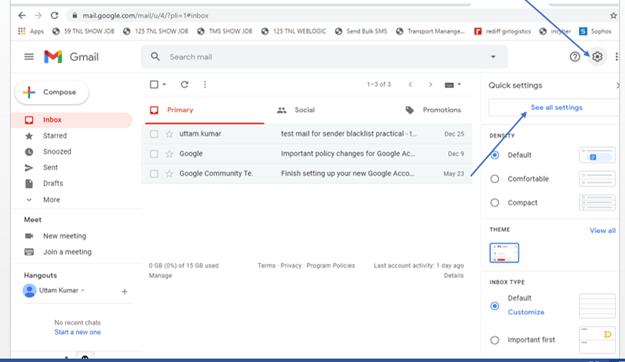
Open Gmail Account
Click Setting
Click All Setting
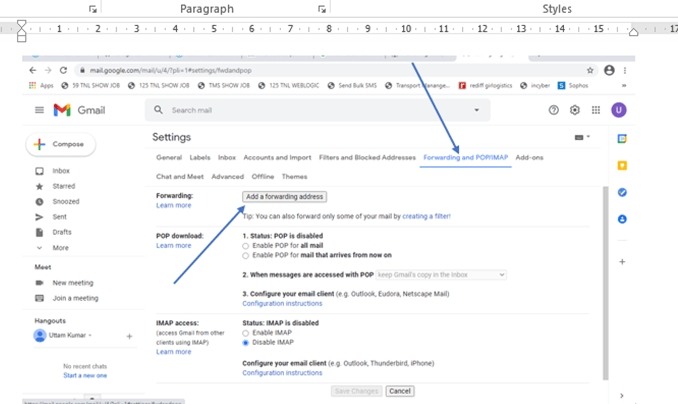
Click on Forwarding and Pop/Imap TAB
Go to Forwarding Section and Click Add a forwarding address
Enter Forwarding Email address and click next
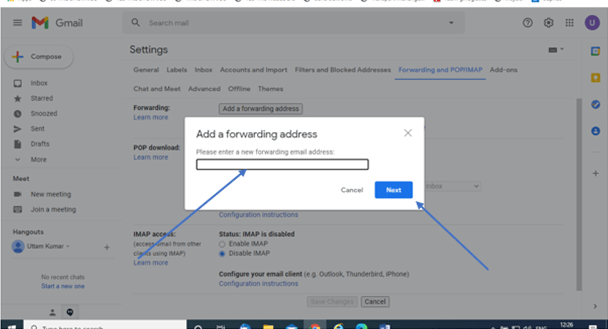
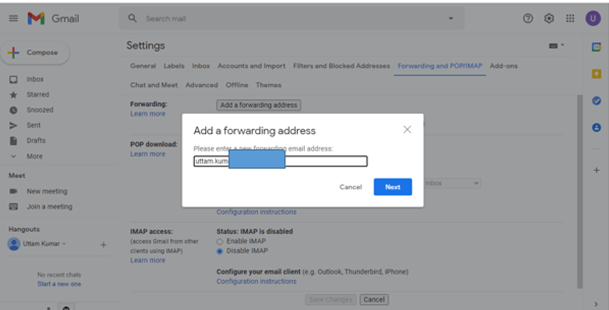
after clicking on next you will see the below option
click proceed button

This will send verification code to your forwarded email id
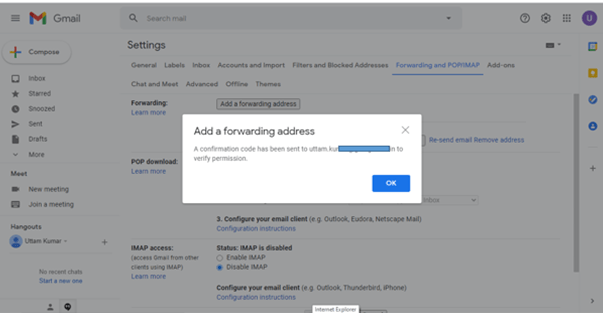
Open that email inbox and get verification code
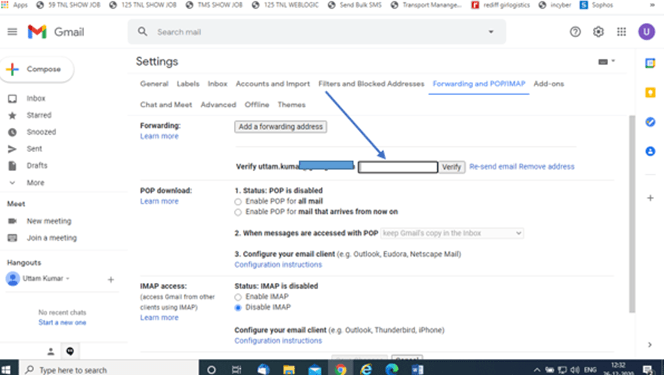
Enter Verification and and Click on Verify
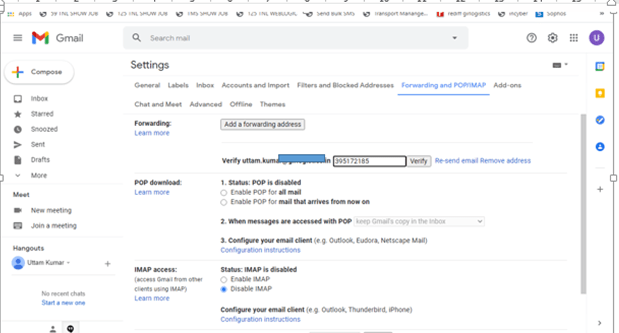
After Verification forwarder has been activated see below picture
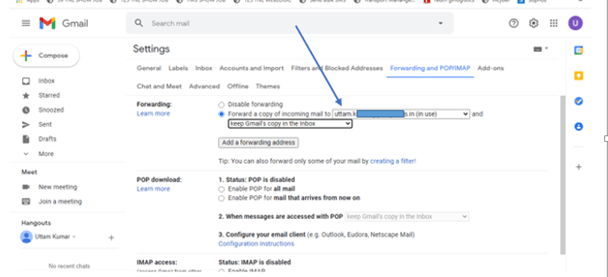
select “orward a copy of incoming mails” ption to enable forwarder
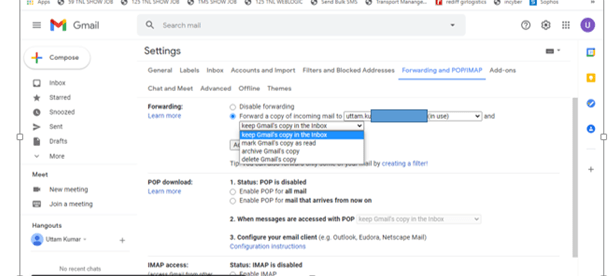
Select Keep Gmail Copy in the inbox.(If your want to keep email in this mail box also)
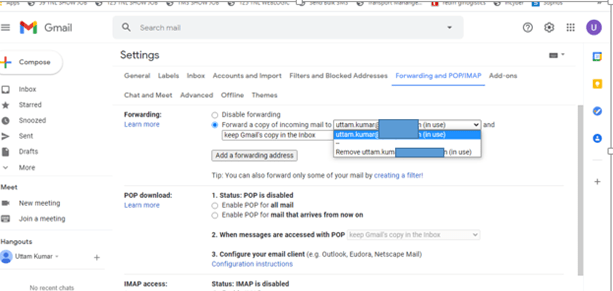
Your Can also Remove this forward email id any time by just cliking on email id and select remove ..see below picture
See Practical Video here
[End of the configuration]
 COMPUTER STATION